
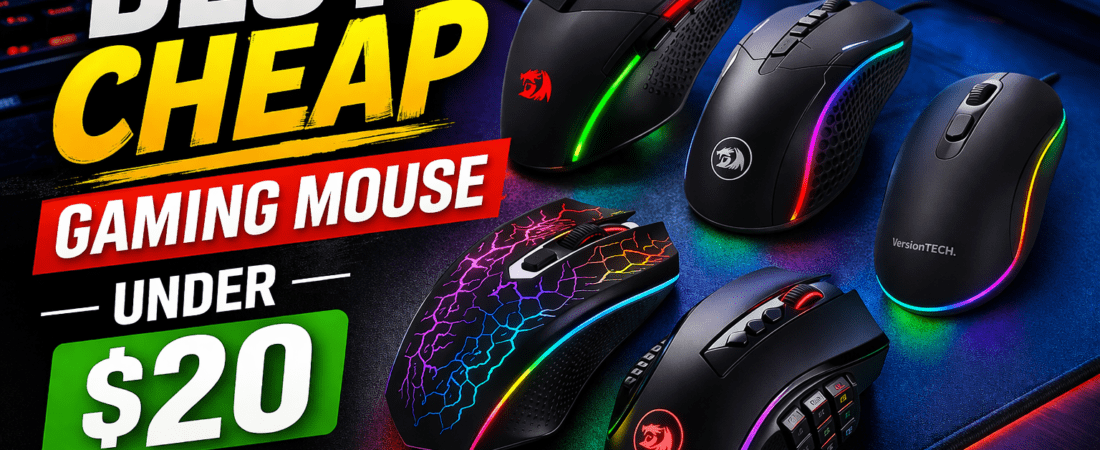
Finding a cheap gaming mouse under $20 might sound limiting, but the truth is—you can still get solid performance without spending a fortune. Whether you’re a casual gamer, a beginner building your first setup, or just looking for a reliable backup mouse, budget-friendly options have come a long way in recent years. In fact, many entry-level gaming mice now offer features like adjustable DPI, RGB lighting, and ergonomic designs that were once reserved for higher-end models.
However, not all cheap gaming mice are created equal. At this price point, the focus should be on sensor accuracy, build quality, comfort, and responsiveness rather than flashy features. A good budget mouse can still deliver smooth tracking, low latency, and decent durability—perfect for games like FPS, MOBA, and casual multiplayer titles.
In this guide, we’ve carefully selected the best gaming mice under $20 that offer the right balance of performance and value. Whether you prefer a lightweight design for fast flicks or a more ergonomic shape for long sessions, this list will help you find the perfect option without breaking your budget.
🥇 Best Cheap Gaming Mouse Under $20 (Ranked Reviews)
🥇 Best Overall
Redragon M602 Gaming Mouse
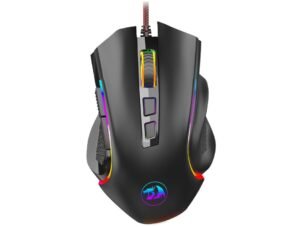
The Redragon M602 is the best overall choice thanks to its excellent balance of performance and features. It offers up to 7200 DPI, multiple programmable buttons, and RGB lighting, making it ideal for FPS and general gaming.
It also includes a high-precision sensor and smooth Teflon feet for better glide and control, which is rare in this price range.
Pros:
- 7200 DPI adjustable
- 9 programmable buttons
- Comfortable ergonomic design
- Great value for money
Cons:
- Software can be basic
- Wired only
🥈 Best for Performance Upgrade
Redragon M711 Cobra RGB Gaming Mouse
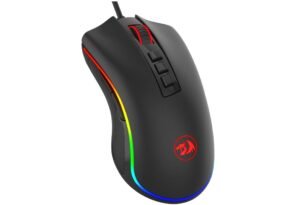
High-performance budget mouse with up to 10,000 DPI and precision Pixart sensor.
The M711 Cobra is a step above typical budget mice, featuring a Pixart sensor and up to 10,000 DPI, delivering better accuracy and responsiveness for competitive gaming.
It’s perfect if you want near mid-range performance at a budget price.
Pros:
- Up to 10,000 DPI
- Accurate Pixart sensor
- 7 programmable buttons
- Advanced RGB customization
Cons:
- Slightly heavier
- Wired only
🥉 Best Wireless Option
VersionTECH Wireless Gaming Mouse

Affordable wireless gaming mouse with rechargeable battery and silent clicks.
If you want wireless freedom under $20, this is one of the best options. It offers 2.4GHz connectivity, rechargeable battery, and silent clicks, making it great for both gaming and office use.
Pros:
- Wireless + rechargeable
- Silent clicking
- Lightweight and portable
Cons:
- Lower DPI compared to wired options
- Not ideal for competitive FPS
4. Best Budget RGB Pick
BENGOO Wired Gaming Mouse

Ultra-budget RGB mouse with 3600 DPI and ergonomic design.
The BENGOO mouse is perfect for beginners or ultra-budget users. With 3600 DPI and RGB lighting, it delivers decent performance for casual gaming.
Pros:
- Very affordable
- RGB lighting
- Lightweight and simple
Cons:
- Lower DPI (3600 max)
- Limited customization
5. Best for Features
WEEMSBOX Wired Gaming Mouse
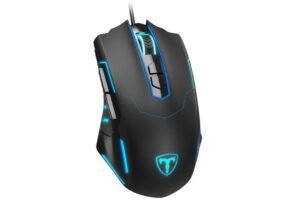
Feature-rich mouse with 7200 DPI and 7 programmable buttons at a low price.
The WEEMSBOX mouse offers a strong feature set including 7200 DPI and multiple programmable buttons, making it ideal for gamers who want extra controls without spending more.
Pros:
- 7200 DPI
- 7 programmable buttons
- Good value features
Cons:
- Average build quality
- Lesser-known brand
📊 PRODUCT COMPARISON TABLE
| Attribute | Redragon M602 | Redragon M711 Cobra | VersionTECH Wireless | BENGOO Wired | WEEMSBOX Wired |
|---|---|---|---|---|---|
| DPI Range | Up to 7200 | Up to 10,000 | ~2400–3200 | Up to 3600 | Up to 7200 |
| Connection | Wired | Wired | Wireless | Wired | Wired |
| Programmable Buttons | 9 | 7 | Limited | 6 | 7 |
| RGB Lighting | Yes | Yes | Yes | Yes | Yes |
| Best For | Overall Value | Performance | Wireless Use | Budget Users | Features |
🛒 Buying Guide: How to Choose the Best Gaming Mouse Under $20
Buying a gaming mouse under $20 can feel tricky—but if you know what to look for, you can still get great performance without overspending. While premium features are limited at this price, focusing on the right factors will help you pick a mouse that delivers smooth gameplay, comfort, and reliability.
🎯 1. DPI & Sensor Performance
DPI (dots per inch) determines how sensitive your mouse is. Most budget gaming mice offer 2400 to 7200 DPI, which is more than enough for casual and even semi-competitive gaming.
- 2400–3600 DPI → Good for everyday use and casual gaming
- 4000–7200 DPI → Better for FPS and faster movements
However, DPI alone doesn’t guarantee accuracy. Look for a mouse with stable tracking and minimal lag, as sensor quality matters more than high numbers.
🖱️ 2. Wired vs Wireless
At this price point, choosing between wired and wireless is important:
- Wired mice → Better response time, no lag, ideal for gaming
- Wireless mice → More convenience, less cable clutter
If you’re serious about gaming (especially FPS), go wired. If you prefer flexibility and casual gaming, a budget wireless option can still work well.
✋ 3. Comfort & Ergonomics
Comfort is critical—especially for long gaming sessions. Look for:
- Ergonomic shape (fits your hand size)
- Textured grip or rubber sides
- Lightweight design for faster movement
A poorly designed mouse can cause fatigue, even if it has good specs.
🎮 4. Programmable Buttons
Most budget gaming mice come with 6 to 9 buttons, which can be customized for:
- In-game actions (reload, abilities, macros)
- Productivity shortcuts
If you play games like MMO or MOBA, more buttons can be useful. For FPS, fewer buttons with better placement is often better.
🌈 5. RGB Lighting & Design
RGB lighting doesn’t improve performance, but it enhances your setup. Many cheap gaming mice include:
- Multiple lighting modes
- Breathing RGB effects
- Customizable colors (in some models)
If aesthetics matter to you, choose a mouse with clean RGB implementation rather than overly flashy lighting.
⚙️ 6. Build Quality & Durability
Since budget mice are made with cheaper materials, durability is important. Check for:
- Strong clicks (rated switches)
- Braided or reinforced cable (for wired mice)
- Solid plastic with minimal flex
A well-built budget mouse can still last years with normal use.
🔌 7. Software & Customization
Some gaming mice come with software that allows:
- DPI adjustment
- Button remapping
- RGB control
However, in this price range, software is often basic or optional, so don’t rely heavily on it.
💡 8. Your Gaming Style Matters
Choose based on how you play:
- FPS gamers → Prioritize accuracy, lightweight design, wired connection
- Casual gamers → Any balanced mouse with decent DPI works
- Office + gaming combo → Look for silent clicks and comfort
- Travel users → Wireless + rechargeable is ideal
⚠️ What to Avoid Under $20
To avoid wasting money, stay away from:
- Fake high DPI claims (e.g., 12,000+ DPI at this price)
- Poor build quality (loose buttons, cheap plastic)
- Unknown brands with no reviews
- Overhyped RGB but weak performance
❓ FAQs – Cheap Gaming Mouse Under $20
1. Are gaming mice under $20 worth it?
Yes, gaming mice under $20 can be worth it for casual gamers and beginners. While they don’t offer premium sensors, many still provide good DPI ranges, programmable buttons, and reliable performance for everyday gaming.
2. What is the best DPI for a budget gaming mouse?
For most users, a DPI range of 2400 to 7200 is ideal. Budget mice like the Redragon M602 offer up to 7200 DPI, which is more than enough for FPS and general gaming.
3. Is a wired or wireless mouse better under $20?
- Wired mice → Better for gaming (lower latency, more stable)
- Wireless mice → Better for convenience and clean setups
At this price range, wired mice are usually the better choice for performance.
🏁 Final Verdict
- Best Overall: Redragon M602 → best balance of features + price
- Best Performance: Redragon M711 Cobra → better sensor and accuracy
- Best Wireless: VersionTECH → cable-free convenience
- Best Budget: BENGOO → cheapest usable option
- Best Features: WEEMSBOX → more controls for the price
If you want the safest pick, go with the M602. But if you’re serious about gaming, the M711 Cobra gives you noticeably better performance.

Jawad is a seasoned technology writer and reviewer behind tech4review.com. Drawing on years of experience in consumer tech analysis and deep product research, Jawad covers everything from PC peripherals, laptops, and emerging tech trends. His work combines technical accuracy with practical advice — breaking down complex concepts in a way that’s easy to understand for both enthusiasts and everyday users.