
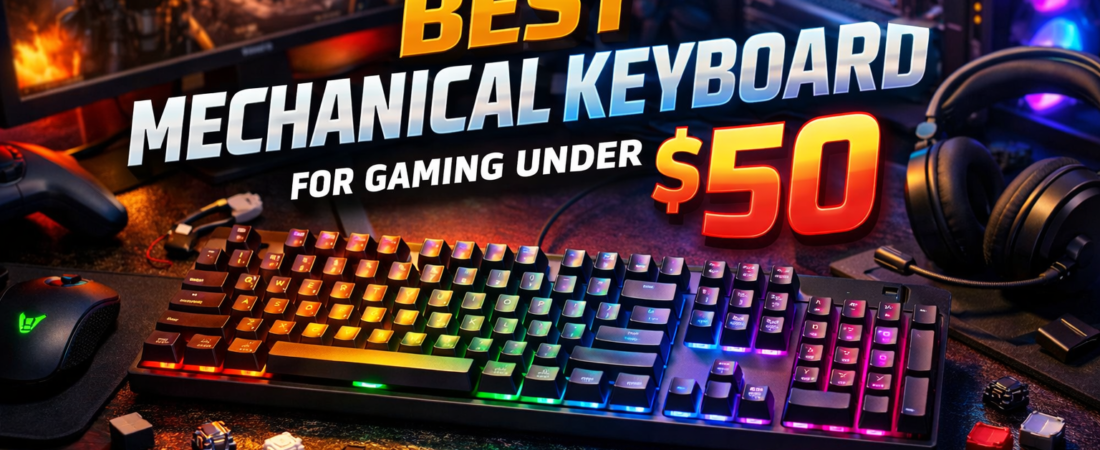
Introduction: Mechanical Keyboards for Gaming Under $50
Finding a high-quality mechanical keyboard for gaming under $50 might sound impossible, but in 2026, budget-friendly options have improved dramatically. Whether you’re a casual gamer, a competitive FPS player, or an MMO enthusiast, a good mechanical keyboard can make a huge difference in reaction time, typing accuracy, and overall gaming experience.
While premium mechanical keyboards often cost over $100, the under‑$50 category now offers durable switches, responsive keys, RGB lighting, and ergonomic designs without breaking the bank. From compact tenkeyless layouts to full-size keyboards with customizable RGB, budget mechanical keyboards provide surprisingly strong performance for gamers on a tight budget.
In this guide, we’ll review the best mechanical keyboards for gaming under $50, covering features, switch types, backlighting, durability, and layout, so you can find the perfect balance between performance, aesthetics, and affordability.
🏆 Quick Comparison Table
| Rank | Keyboard | Switch Type | Backlighting | Layout | Pros | Cons |
|---|---|---|---|---|---|---|
| 1 | RK ROYAL KLUDGE RK87 Sink87G Best Pick | Tactile Brown | RGB | 80% Wireless | Wireless, Programmable, Low Latency, Compact | Requires charging, Slightly higher price |
| 2 | TECWARE Phantom 87 Key | Outemu Brown | RGB | 87-Key Wired | Hot-Swappable, Customizable RGB, Durable, Low Latency | Bulky, Software could improve |
| 3 | Granvela Z-77 | Outemu Brown | LED (Single Color) | 87-Key Wired | Affordable, Reliable, Tactile feel | Limited lighting, Basic design |
| 4 | Redragon K552 | Red (Linear) | LED (Single Color) | 87-Key Wired | Durable, Smooth keystrokes, Beginner-friendly | Loud, Limited LED customization |
| 5 | Black Shark Sixgill K2 | Red (Linear) | RGB | Full Size 104 | Full Layout, Smooth keys, RGB, Programmable macros | Large footprint, Not compact |
⭐ Detailed Reviews
1. RK ROYAL KLUDGE RK87 Sink87G — Best Wireless & Programmable
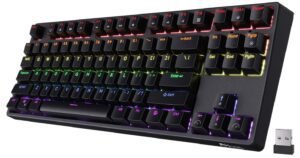
The RK87 Sink87G is an 80% tenkeyless keyboard that supports both 2.4G wireless and USB wired connections. It comes with tactile brown switches, perfect for gaming and typing.
Features:
- Switches: Tactile Brown
- Backlighting: Full RGB
- Keys: 87 programmable keys
- Connectivity: Wireless 2.4G + USB
- Software: Customizable via RK software
Pros:
- Wireless flexibility with low latency
- Tactile brown switches for smooth gaming
- Fully programmable keys with software
- Compact tenkeyless design
Cons:
- Slightly higher price compared to purely wired keyboards
- Wireless battery needs charging
Best For: Gamers who want wireless convenience without sacrificing mechanical feel.
2. TECWARE Phantom 87 Key RGB — Best Customizable RGB
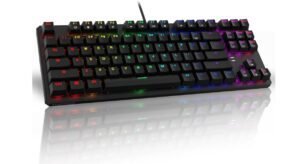
The TECWARE Phantom is a solid budget mechanical keyboard with Outemu brown switches, per-key RGB, and programmable keys.
Features:
- Switches: Outemu Brown
- Backlighting: 16.8M RGB colors with 18 preset modes
- Size: 87-Key TKL
- Software: Key customization and lighting profiles
- Connection: Wired USB
Pros:
- Hot-swappable switches
- Vibrant RGB with multiple modes
- Low latency and N-Key rollover
- Durable build quality
Cons:
- Slightly bulky for some setups
- Software could be more user-friendly
Best For: Gamers looking for full RGB control and customization on a budget.
3. Granvela Z-77 — Best Budget Tactile Keyboard
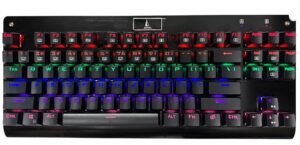
The Granvela Z-77 is a reliable 87-key mechanical keyboard with Outemu brown switches. It offers a classic tactile feel, LED backlighting, and full N-key rollover for gaming.
Features:
- Switches: Outemu Brown
- Backlighting: Single-color LED
- Size: 87-Key Tenkeyless
- Anti-Ghosting: Full N-Key Rollover
Pros:
- Affordable with tactile switches
- Solid performance for gaming
- Compact layout for desk space
Cons:
- Limited RGB/LED modes
- Basic design, no software customization
Best For: Gamers who want simple, reliable tactile switches on a tight budget.
4. Redragon K552 — Best Beginner-Friendly
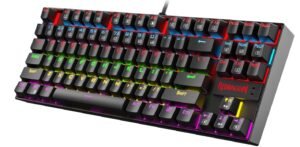
The Redragon K552 is a compact 87-key keyboard with red switches, offering smooth and linear keystrokes. Its metal frame and anti-ghosting make it perfect for newcomers to mechanical keyboards.
Features:
- Switches: Red (linear)
- Backlight: LED (single color)
- Layout: 87-key TKL
- Build: Metal alloy frame, durable
Pros:
- Great value for money
- Smooth linear switches for fast gaming
- Durable construction
- Beginner-friendly design
Cons:
- Loud compared to brown switches
- Limited LED customization
Best For: First-time buyers seeking a budget-friendly mechanical keyboard that performs well.
5. Black Shark Sixgill K2 — Best Full-Size Gaming Keyboard
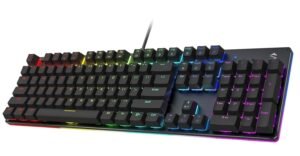
The Black Shark K2 is a 104-key full-size RGB keyboard with red switches. Perfect for MMO or MMO+FPS hybrid gamers who want extra keys and anti-ghosting support.
Features:
- Switches: Red (linear)
- Backlighting: RGB LED
- Keys: 104 fully programmable keys
- Anti-Ghosting: Full N-key rollover
Pros:
- Full-size layout for all gaming needs
- Smooth linear switches
- RGB lighting with multiple effects
- Programmable macros
Cons:
- Larger footprint, takes desk space
- Not as compact as TKL or 80% boards
Best For: MMO gamers and those who prefer full-sized keyboards for extended play.
Buying Guide: Best Mechanical Keyboard for Gaming Under $50
If you’re searching for the best mechanical keyboard for gaming under $50, it can be overwhelming with so many budget options available. A mechanical keyboard can dramatically improve your reaction time, typing accuracy, and overall gaming experience, but finding one that balances performance, durability, and affordability is key. This guide will help you make an informed decision and choose the perfect keyboard for your needs.
1. Why Choose a Mechanical Keyboard Under $50?
Many gamers assume you need to spend over $100 for a decent mechanical keyboard, but in 2026, budget keyboards have caught up.
- Durable switches: Many budget keyboards now come with Outemu, RK, or Red/Blue switches rated for 50M+ keystrokes.
- Gaming features: Anti-ghosting, N-key rollover, and responsive keys are common even under $50.
- RGB lighting: Budget RGB boards now offer multiple modes, per-key lighting, or customizable presets.
- Compact layouts: Tenkeyless (TKL) and 80% layouts save desk space without sacrificing performance.
💡 Pro Tip: A budget mechanical keyboard may not have premium software or wireless connectivity, but performance and tactile feel are usually excellent.
2. Mechanical vs Mechanical-Feel
Before buying, you need to understand the difference between true mechanical and mechanical-feel (hybrid) keyboards.
| Type | Pros | Cons |
|---|---|---|
| Mechanical | Real switches, long-lasting, tactile feedback | Slightly louder, heavier |
| Mechanical-Feel / Membrane Hybrid | Quieter, cheaper, lightweight | Less durable, softer feel |
Recommendation: If your focus is gaming performance, choose a true mechanical keyboard with tactile or linear switches.
3. Understanding Switch Types
Switches determine how a keyboard feels and performs during gaming.
- Linear (Red Switches): Smooth, fast keystrokes — ideal for FPS games.
- Tactile (Brown Switches): Tactile bump without loud click — versatile for gaming + typing.
- Clicky (Blue Switches): Loud click and tactile bump — better for typing, can be noisy in shared spaces.
💡 Tip: For under $50, Red and Brown switches are the most popular for gaming.
4. Keyboard Layouts
The layout affects desk space, portability, and gaming efficiency.
- Full-Size (104 Keys): Includes numeric keypad — best for MMO and RPG games.
- Tenkeyless (TKL, 87 Keys): Compact, saves desk space — ideal for FPS gaming.
- 80% / 60% Compact: Minimalist designs — portable, great for small desks or esports setups.
Pro Tip: TKL or 80% layouts are recommended for budget gamers who prioritize desk space and mouse movement freedom.
5. Backlighting & RGB
Lighting doesn’t improve gameplay directly, but it adds visibility, aesthetics, and immersion.
- RGB per-key lighting: Full control of colors and effects — usually on boards like TECWARE Phantom or RK87.
- Single-color LED: Budget-friendly and functional — common on Redragon K552 or Granvela Z-77.
💡 Tip: If you love gaming setups and RGB aesthetics, choose a board with programmable RGB modes.
6. Build Quality & Durability
Even budget keyboards should last several years if well-built. Look for:
- Metal alloy frame: Adds rigidity and reduces flex.
- ABS or doubleshot keycaps: Resist wear and fading.
- Anti-ghosting & N-key rollover: Ensures multiple key presses register simultaneously — essential for gaming.
7. Connectivity Options
- Wired USB: Zero latency, no batteries — best for competitive gaming.
- Wireless / Bluetooth: Adds flexibility and portability — e.g., RK87 Sink87G supports low-latency 2.4G wireless.
💡 Tip: Budget boards under $50 are mostly wired, which is preferable for FPS and MOBA gamers.
8. Extra Features to Look For
- Programmable Keys / Macros: Customize commands for MMO and RPG games.
- Hot-swappable switches: Swap switches without soldering — rare in budget boards but available in TECWARE Phantom.
- Ergonomics: Some keyboards include wrist rests or adjustable feet.
- Software Support: Optional for customizing RGB, macros, and key functions.
FAQs About Mechanical Keyboards Under $50
Q1: Can I get a durable mechanical keyboard under $50?
Yes. Options like Redragon K552, RK87, and TECWARE Phantom provide long-lasting switches and strong builds.
Q2: Are RGB lighting modes worth it?
Not for performance, but they enhance aesthetics, visibility, and gaming immersion.
Q3: Which switch is best for gaming under $50?
- Red/Linear: Smooth FPS gameplay
- Brown/Tactile: Versatile for mixed gaming and typing
- Blue/Clicky: Typing-focused
Q4: Should I choose wireless or wired?
- Wired: Lower latency, no charging — preferred for competitive gamers
- Wireless: Convenient but may require charging
Conclusion — How to Choose
When buying a mechanical keyboard under $50, focus on:
- Switch type: Red or Brown for gaming performance.
- Layout: TKL or 80% for desk space, full-size for MMO/RPG needs.
- Build quality: Metal frame, ABS keycaps, anti-ghosting.
- Backlighting: RGB for aesthetics, single-color LEDs for budget setups.
- Connectivity: Wired for competitive gaming, wireless for flexibility.
By weighing these factors, you can find a keyboard that feels premium while staying budget-friendly.

Jawad is a seasoned technology writer and reviewer behind tech4review.com. Drawing on years of experience in consumer tech analysis and deep product research, Jawad covers everything from PC peripherals, laptops, and emerging tech trends. His work combines technical accuracy with practical advice — breaking down complex concepts in a way that’s easy to understand for both enthusiasts and everyday users.