
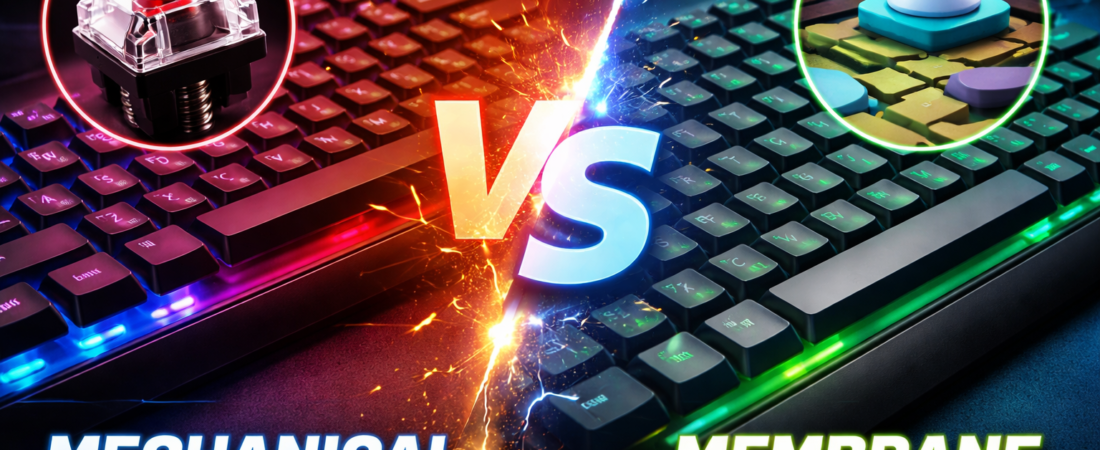
Choosing the right keyboard can dramatically affect your typing comfort, gaming performance, and overall productivity. Two of the most popular types of keyboards today are mechanical and membrane keyboards. Both have distinct characteristics, advantages, and drawbacks, making the choice between them essential for gamers, programmers, and everyday users alike. In this article, we’ll explore the differences between mechanical and membrane keyboards to help you decide which one suits your needs best.
What is a Mechanical Keyboard?
A mechanical keyboard uses individual mechanical switches for each key. These switches consist of several components: a spring, stem, and housing. When a key is pressed, the switch activates, sending a signal to your computer. Mechanical keyboards are known for their tactile feel, durability, and audible feedback.
Types of Mechanical Switches
Mechanical keyboards are further classified based on switch types. Each switch provides a unique typing experience:
- Clicky Switches – Offer a distinct click sound and tactile bump (e.g., Cherry MX Blue). Ideal for typists who love feedback.
- Tactile Switches – Provide a noticeable bump without a loud click (e.g., Cherry MX Brown). Perfect for balanced typing and gaming.
- Linear Switches – Smooth keystroke without tactile feedback or sound (e.g., Cherry MX Red). Favored by gamers for fast key presses.
Advantages of Mechanical Keyboards
- Durability – Mechanical switches can last up to 50 million keystrokes, compared to 5–10 million for membrane keyboards.
- Typing Experience – The tactile feedback improves typing speed and accuracy.
- Customizability – Many mechanical keyboards allow switch replacement, keycap swaps, and RGB lighting adjustments.
- N-Key Rollover – Supports multiple simultaneous key presses, essential for fast-paced gaming.
Drawbacks of Mechanical Keyboards
- Price – Mechanical keyboards are generally more expensive.
- Noise – Clicky and tactile switches can be loud, which might be distracting in shared spaces.
- Weight and Size – They are usually heavier and bulkier than membrane keyboards.
What is a Membrane Keyboard?
A membrane keyboard relies on a flexible rubber or silicone membrane beneath the keys. When you press a key, the membrane collapses, completing a circuit and sending a signal to the computer.
Types of Membrane Keyboards
- Rubber Dome – Common in budget keyboards; provides soft resistance and quiet typing.
- Scissor Switch – Often used in laptops; provides shorter key travel and quieter operation.
- Hybrid Membrane – Combines some mechanical-like features with a membrane design, offering moderate tactile feedback.
Advantages of Membrane Keyboards
- Cost-Effective – More affordable than mechanical keyboards.
- Quiet Typing – Perfect for offices or shared environments.
- Lightweight & Portable – Easier to carry around or fit in smaller workspaces.
- Water Resistance – Some membrane keyboards offer spill-resistant designs.
Drawbacks of Membrane Keyboards
- Shorter Lifespan – Typically lasts 5–10 million keystrokes.
- Less Feedback – Keys may feel mushy, reducing typing accuracy and speed.
- Limited Customization – Harder to replace keycaps or switches.
- N-Key Rollover Limitations – Often doesn’t support multiple simultaneous key presses, limiting gaming performance.
Key Differences Between Mechanical and Membrane Keyboards
| Feature | Mechanical Keyboard | Membrane Keyboard |
|---|---|---|
| Switch Type | Individual mechanical switches | Rubber/silicone membrane |
| Tactile Feedback | Strong, precise | Soft, mushy |
| Durability | 50 million+ keystrokes | 5–10 million keystrokes |
| Typing Noise | Loud (depends on switch) | Quiet |
| Price | Higher ($70–$300+) | Budget-friendly ($10–$50) |
| Gaming Performance | Excellent, supports N-Key rollover | Limited, may miss simultaneous keys |
| Customizability | High – swappable switches & keycaps | Low – few customization options |
| Portability | Bulkier, heavier | Lightweight, more portable |
| Water Resistance | Usually limited | Some models are spill-resistant |
Mechanical vs Membrane Keyboards for Typing
Typing speed and comfort are crucial factors when deciding between mechanical and membrane keyboards.
- Mechanical Keyboards: The tactile feedback reduces typing errors and increases speed. The distinct feel of each keypress can improve long-term typing comfort, especially for writers and programmers.
- Membrane Keyboards: While quieter, membrane keyboards can feel mushy. This may lead to slower typing speeds and more fatigue during extended use. However, for casual users, they are perfectly adequate.
Mechanical vs Membrane Keyboards for Gaming
For gamers, the choice of keyboard can directly impact performance.
- Mechanical Keyboards: Offer faster response times, precise feedback, and N-Key rollover. Linear and tactile switches are especially popular for fast-paced games.
- Membrane Keyboards: Limited rollover and slower key actuation can result in missed inputs in competitive gaming. Hybrid membrane keyboards try to bridge the gap but rarely match true mechanical switches.
Durability and Maintenance
Mechanical keyboards are generally more durable, lasting decades with proper care. They are easier to clean; you can remove keycaps and clean switches individually. Membrane keyboards wear down faster, and once the membrane fails, the entire keyboard may need replacement.
Noise Comparison
Noise is subjective, but important depending on the environment.
- Mechanical Keyboards: Clicky switches are noisy, tactile switches moderately loud, and linear switches are relatively quiet.
- Membrane Keyboards: Typically silent or only produce a soft “thunk,” making them office-friendly.
Customization and Aesthetics
Mechanical keyboards win in customization. You can:
- Swap keycaps for different materials or colors.
- Adjust switches for different typing feels.
- Add RGB lighting effects.
- Program macros and remap keys easily.
Membrane keyboards usually come in fixed designs with minimal RGB options and limited programming functionality.
Price Comparison
- Mechanical Keyboards: Typically range from $70 to $300+, depending on brand, switches, and features.
- Membrane Keyboards: Budget-friendly, usually between $10 and $50.
The higher price of mechanical keyboards is justified by durability, typing experience, and gaming advantages.
Who Should Choose Mechanical Keyboards?
- Gamers: Fast response times, multiple key presses, and durability are essential.
- Writers/Programmers: Tactile feedback enhances typing speed and reduces fatigue.
- Keyboard Enthusiasts: Customization and premium feel are major selling points.
Who Should Choose Membrane Keyboards?
- Casual Users: Basic typing and occasional gaming don’t require mechanical switches.
- Office Workers: Quiet typing is preferred in shared spaces.
- Budget-Conscious Buyers: Membrane keyboards are cost-effective and reliable for everyday use.
Mechanical vs Membrane Keyboard: The Verdict
Choosing between mechanical and membrane keyboards ultimately comes down to usage, budget, and personal preference.
- For Performance & Longevity: Mechanical keyboards are superior. They provide unmatched typing experience, gaming performance, and durability.
- For Quiet & Budget-Friendly Use: Membrane keyboards are adequate. They are affordable, lightweight, and silent, suitable for casual work or home use.
In short:
If you type extensively, game competitively, or enjoy customizing your setup, mechanical keyboards are worth the investment.
If you need a quiet, simple, and cost-effective keyboard, membrane keyboards get the job done.
FAQs About Mechanical vs Membrane Keyboards
1. Are mechanical keyboards noisy?
Yes, especially clicky and tactile switches. Linear switches are quieter.
2. Can you game on a membrane keyboard?
Yes, casual gaming is fine, but competitive gaming may be limited due to slower key actuation and lack of N-Key rollover.
3. Which keyboard lasts longer?
Mechanical keyboards often last 5–10 times longer than membrane keyboards.
4. Are membrane keyboards better for offices?
Yes, they are quieter and more budget-friendly, making them ideal for office environments.
5. Can I replace switches on a mechanical keyboard?
Many modern mechanical keyboards allow hot-swapping switches for customization.
Conclusion
Mechanical and membrane keyboards each have their place in the market. Mechanical keyboards dominate in durability, typing experience, and gaming performance, while membrane keyboards excel in affordability, quiet operation, and portability. Your decision should be based on your specific needs, whether that’s professional typing, gaming, or casual use.
Invest wisely, and your keyboard will either become your ultimate productivity tool or a reliable, quiet companion for everyday tasks.

Jawad is a seasoned technology writer and reviewer behind tech4review.com. Drawing on years of experience in consumer tech analysis and deep product research, Jawad covers everything from PC peripherals, laptops, and emerging tech trends. His work combines technical accuracy with practical advice — breaking down complex concepts in a way that’s easy to understand for both enthusiasts and everyday users.