
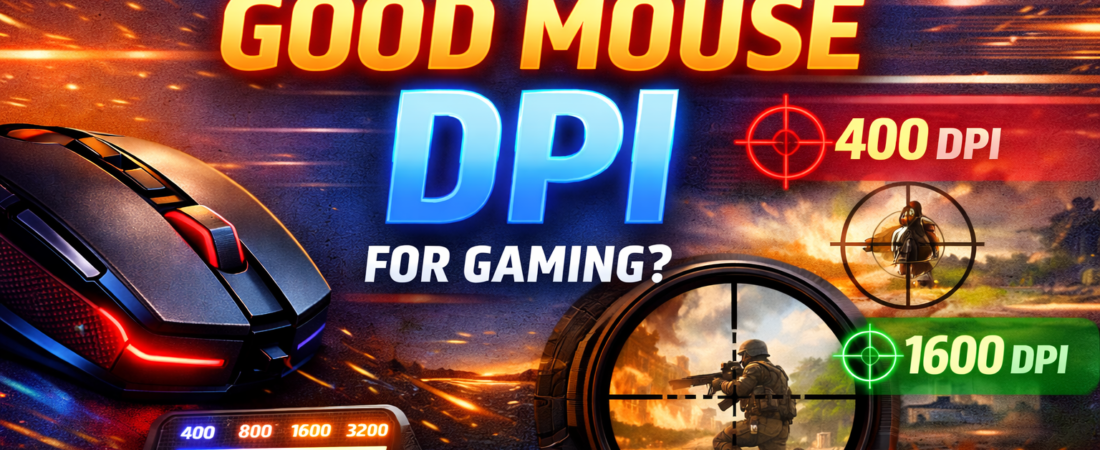
In the world of gaming, precision is everything. Whether you’re lining up a sniper shot in a first-person shooter or executing fast combos in a MOBA, your mouse plays a crucial role. But how do you know if your mouse is truly up to the task? One key factor to consider is DPI—dots per inch—a measurement that directly impacts how your mouse moves on-screen. If you’ve ever wondered, “What is a good mouse DPI for gaming?”, you’re in the right place. In this guide, we’ll break it down in simple terms, discuss different gaming genres, and help you find the optimal DPI settings for your playstyle.
What Is DPI?
DPI stands for dots per inch, which measures how sensitive your mouse is. Essentially, it tells you how far the cursor will move on the screen when you move the mouse physically. For example, a mouse with 800 DPI moves the cursor 800 pixels on the screen when you move the mouse one inch. Higher DPI means faster cursor movement, while lower DPI offers slower, more precise control.
DPI vs. Sensitivity
Many gamers confuse DPI with sensitivity, but they are different:
- DPI: The hardware measurement of the mouse movement.
- Sensitivity: The in-game software setting that multiplies or divides cursor speed.
For instance, a high DPI with low sensitivity can mimic a low DPI with high sensitivity, but the feel can vary significantly. Finding the right balance is essential for accuracy and comfort.
Why DPI Matters in Gaming
DPI affects reaction speed, precision, and comfort:
- Precision – Low DPI provides finer control for sniping or aiming in FPS games.
- Reaction Speed – High DPI allows faster cursor movement, useful in RTS or MOBA games where rapid screen navigation is key.
- Comfort – The wrong DPI can cause strain, wrist fatigue, or missed shots.
Your mouse DPI interacts with other factors like monitor resolution, mouse pad size, and personal preference, so there’s no one-size-fits-all answer. Instead, it’s about finding what feels natural for your playstyle.
Common DPI Ranges for Gaming
Here’s a breakdown of typical DPI ranges and their uses:
| DPI Range | Best For | Notes |
|---|---|---|
| 400 – 800 DPI | FPS games, precise aiming | Popular among professional CS:GO and Valorant players |
| 800 – 1600 DPI | General gaming, MOBA, RPGs | Balanced speed and precision |
| 1600 – 3200 DPI | High-resolution monitors, RTS/MMO | Faster cursor movement, less physical mouse travel |
| 3200+ DPI | Ultra-high sensitivity, niche setups | Can feel jittery; not ideal for most FPS players |
DPI Recommendations by Game Genre
Different game genres benefit from different DPI settings:
1. First-Person Shooters (FPS)
FPS games like Call of Duty, Valorant, and Counter-Strike: Global Offensive require precise aiming. Most pro players prefer 400–800 DPI with moderate in-game sensitivity. Lower DPI ensures smooth, controlled movements, making it easier to land headshots.
Tip: Use a large mouse pad and move your arm instead of just your wrist for consistent aiming.
2. Real-Time Strategy (RTS)
RTS games like StarCraft II demand rapid screen navigation. A slightly higher DPI, around 1200–1600, helps move across large maps faster without lifting the mouse frequently.
3. Multiplayer Online Battle Arena (MOBA)
Games like League of Legends or Dota 2 often require fast but moderately precise mouse movement. 800–1600 DPI works best, allowing quick skill shots and smoother rotations.
4. MMORPG
In MMO games like World of Warcraft, cursor speed isn’t as critical as clicking multiple abilities efficiently. Many players prefer 1000–2000 DPI for balanced control across multiple monitors.
5. Casual/Multimedia Use
Even outside gaming, DPI matters. For web browsing or productivity, 800–1200 DPI is usually comfortable.
How to Adjust Your DPI for Optimal Performance
- Check Your Mouse Specs: Many gaming mice allow DPI adjustments through buttons or software. Popular brands like Logitech, Razer, Corsair, and SteelSeries provide DPI profiles.
- Test Different Settings: Start low (400–800 DPI), and gradually increase until movements feel natural.
- Adjust In-Game Sensitivity: Once hardware DPI is set, tweak software sensitivity to balance speed and precision.
- Consider Monitor Resolution: Higher resolution (1440p, 4K) may require slightly higher DPI to move across the screen comfortably.
- Consistency Is Key: Avoid changing DPI frequently; muscle memory develops with consistent settings.
Popular Gaming Mice DPI Ranges
Here’s what some popular gaming mice offer:
- Logitech G502 Lightspeed: 100–25,600 DPI
- Razer DeathAdder V2: 100–20,000 DPI
- SteelSeries Rival 650 Quantum: 100–12,000 DPI
- Corsair M65 RGB Elite: 100–18,000 DPI
These mice allow on-the-fly DPI switching, letting players adapt to different scenarios instantly.
DPI and Mouse Polling Rate
While DPI measures sensitivity, polling rate measures how often the mouse reports position to the PC, in Hz. Higher polling rates (500–1000 Hz) improve responsiveness. Combining proper DPI with a high polling rate ensures smoother, lag-free movement.
Finding the Best DPI for You
There’s no universal “best DPI” because it depends on:
- Game Genre: FPS, MOBA, RTS, or MMO
- Playstyle: Aggressive or methodical
- Mouse Grip: Palm, claw, fingertip
- Mouse Pad Size: Larger pads favor lower DPI for broader movement
Quick Guide:
- FPS pro players: 400–800 DPI
- MOBA/RTS: 800–1600 DPI
- MMO/high-resolution: 1000–2000 DPI
- Casual/general use: 800–1200 DPI
Experimenting and adjusting is the fastest way to find what works for you.
DPI Myths Debunked
- Higher DPI is always better – False. Ultra-high DPI can cause jitter and reduce accuracy.
- Pro players use high DPI – Most FPS pros use low DPI (400–800) for precision, not speed.
- DPI replaces skill – DPI alone doesn’t make you better; it’s about comfort and consistency.
Frequently Asked Questions (FAQs)
Q1: Can I use different DPI for different games?
Yes! Many mice allow on-the-fly DPI switching. Use low DPI for FPS, higher DPI for RTS/MOBA.
Q2: Does DPI affect mouse lag?
Indirectly. DPI itself doesn’t cause lag, but very high DPI with low polling rate may feel jumpy.
Q3: What DPI is best for 4K monitors?
Higher DPI (1200–3200) can help cursor movement across large screens comfortably.
Q4: Should I use software sensitivity or DPI?
Both work together. Set a comfortable DPI and fine-tune in-game sensitivity.
Q5: How do I know my ideal DPI?
Experiment. Start low, gradually increase, and stick with what feels accurate and natural.
Conclusion
The question, “What is a good mouse DPI for gaming?”, doesn’t have a one-size-fits-all answer. DPI is highly personal and varies by game genre, playstyle, monitor resolution, and comfort. However, for most gamers:
- FPS: 400–800 DPI
- MOBA/RTS: 800–1600 DPI
- MMO/high-resolution: 1000–2000 DPI
The key is consistency and comfort. With the right combination of DPI, in-game sensitivity, and polling rate, you can achieve precise control, faster reaction times, and an overall better gaming experience. Experiment, adapt, and you’ll find the sweet spot for your gameplay.

Jawad is a seasoned technology writer and reviewer behind tech4review.com. Drawing on years of experience in consumer tech analysis and deep product research, Jawad covers everything from PC peripherals, laptops, and emerging tech trends. His work combines technical accuracy with practical advice — breaking down complex concepts in a way that’s easy to understand for both enthusiasts and everyday users.